

CraftyPeak AI in ChatGPT and Claude
Connect CraftyPeak, the Peakime studio for AI video and images, to the assistant you already use. Ask in plain words and it makes the image or video with your CraftyPeak credits.
https://mcp.peakime.com/mcpAdd CraftyPeak AI as a custom MCP server in the ChatGPT Codex app.
Step 1
Open the ChatGPT app
Open the ChatGPT Codex app on your computer and sign in.
CraftyPeak AI × ChatGPTChatGPT Codex app
Step 2
Open Plugins
Click Plugins in the left menu.
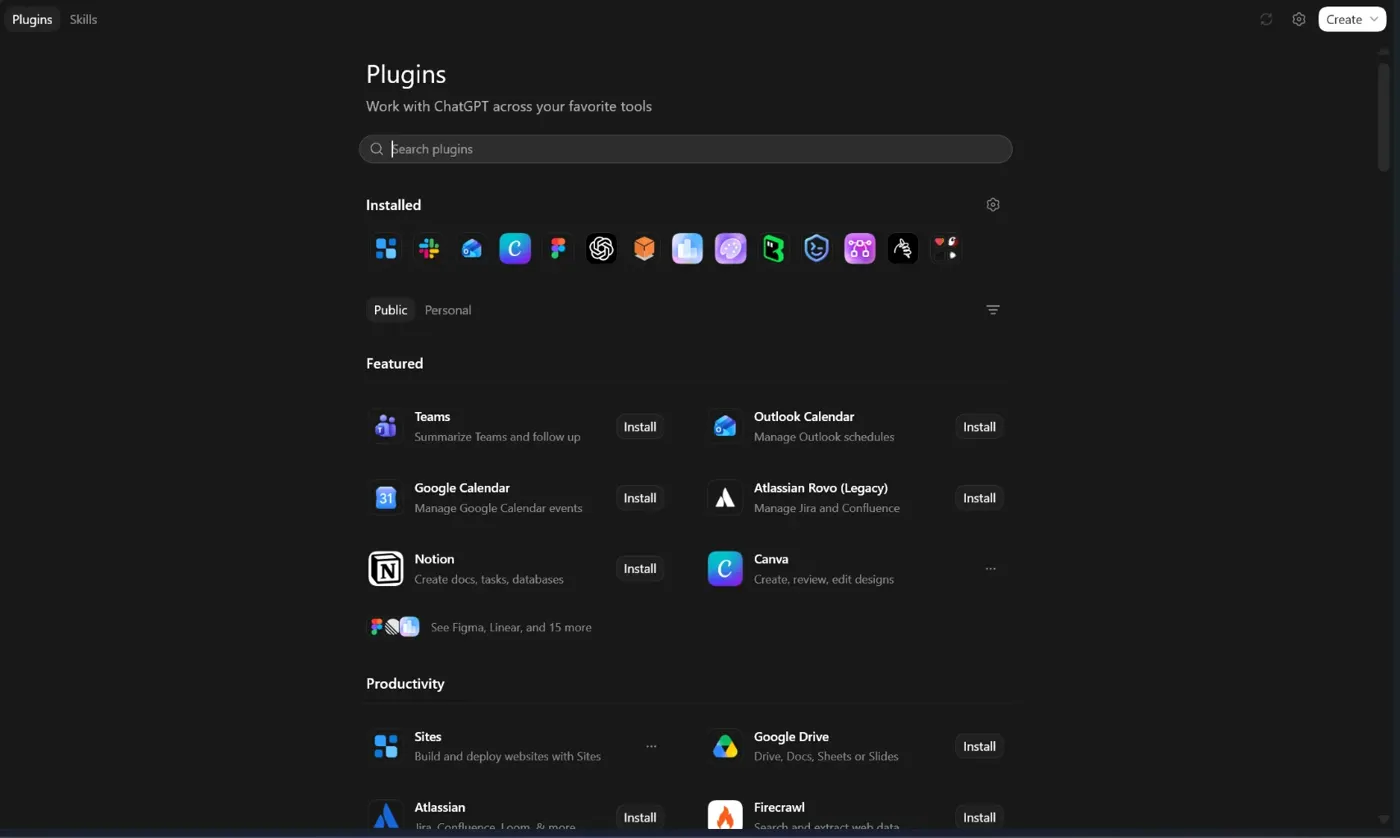
Step 3
Open Manage
Click Manage, the settings icon at the top right.
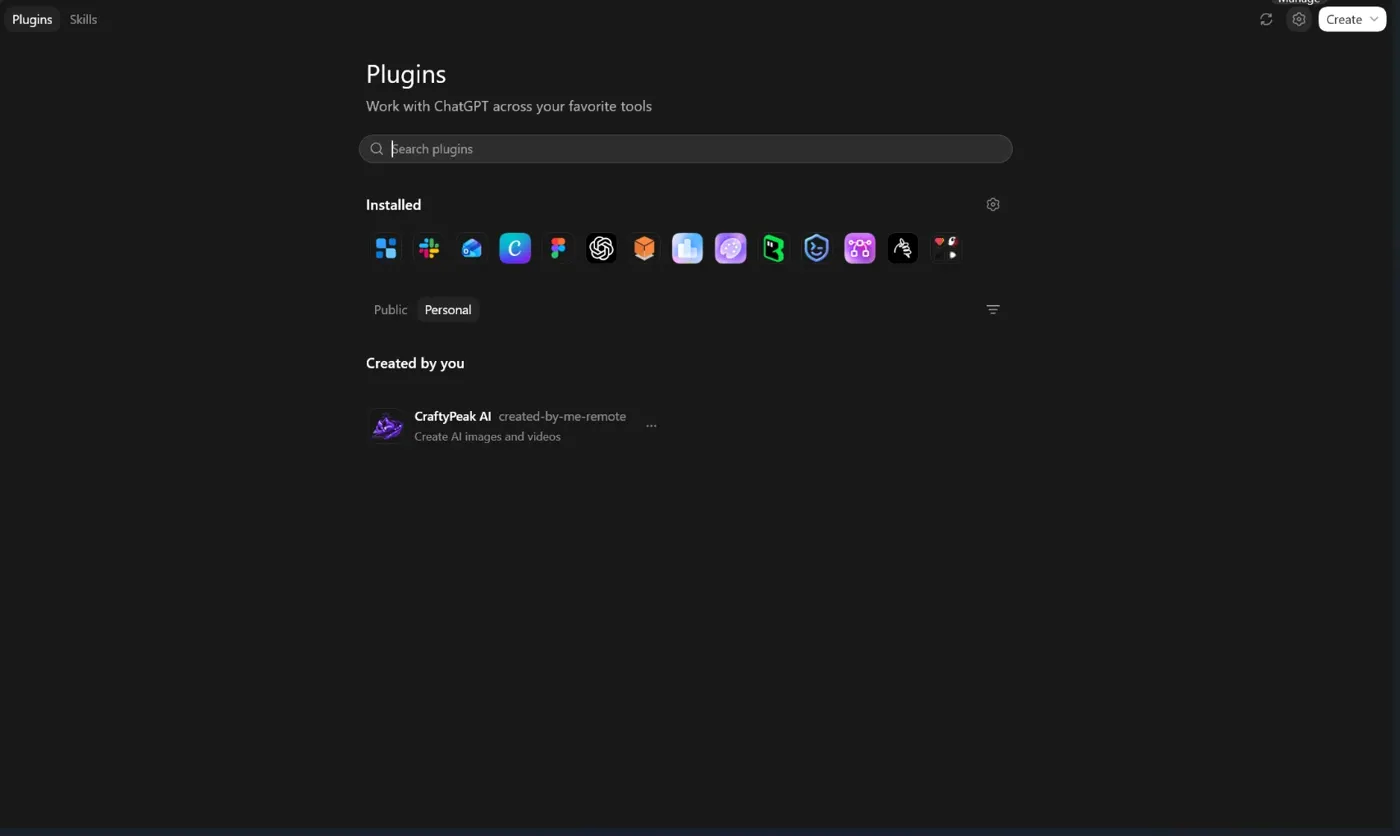
Step 4
Go to MCPs
Choose MCPs in the filters at the top, then click Add server.
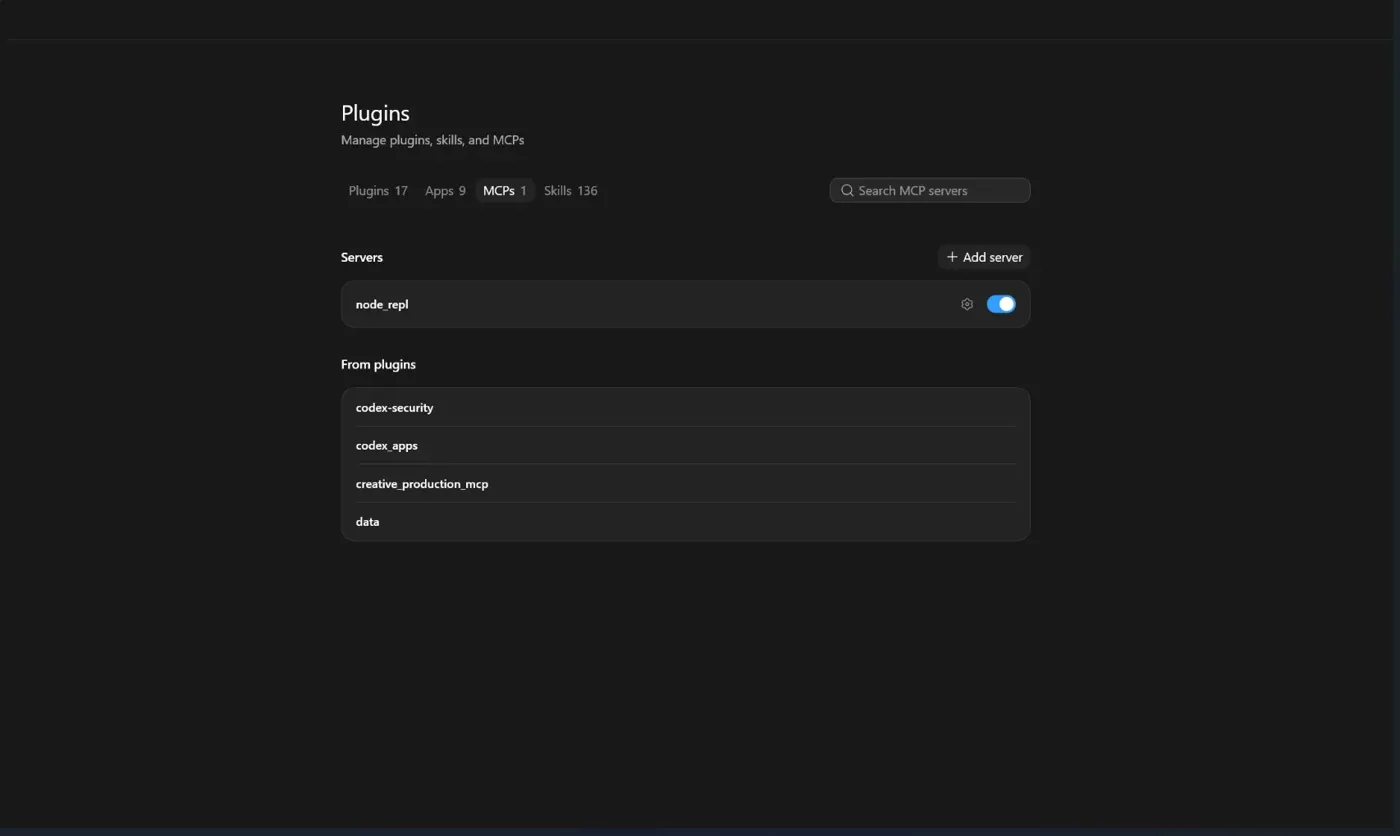
Step 5
Open the custom MCP form
The "Connect to a custom MCP" form opens.
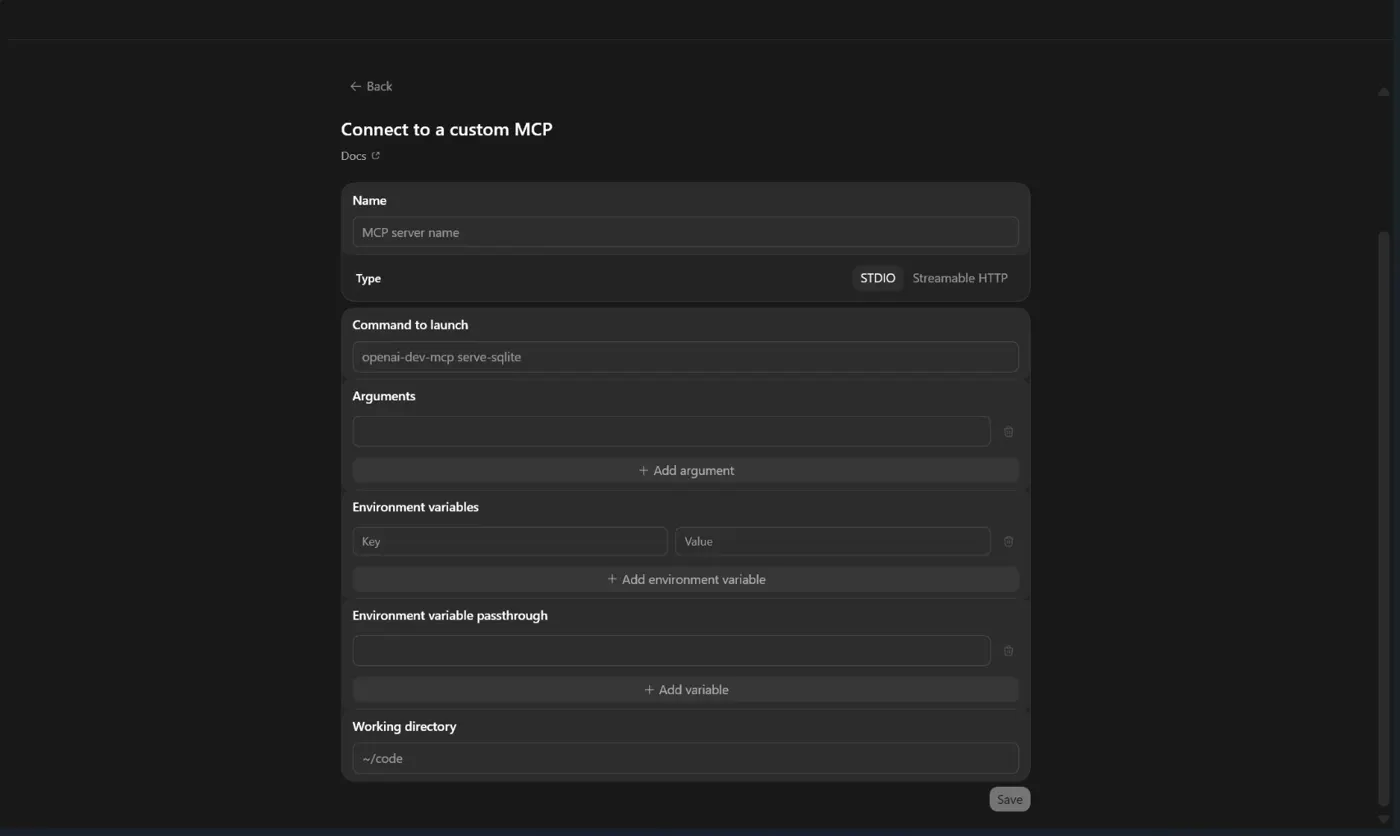
Step 6
Fill it in and save
Name it CraftyPeak AI, choose Streamable HTTP and paste this URL. Leave the token and header fields empty, then click Save.
https://mcp.peakime.com/mcp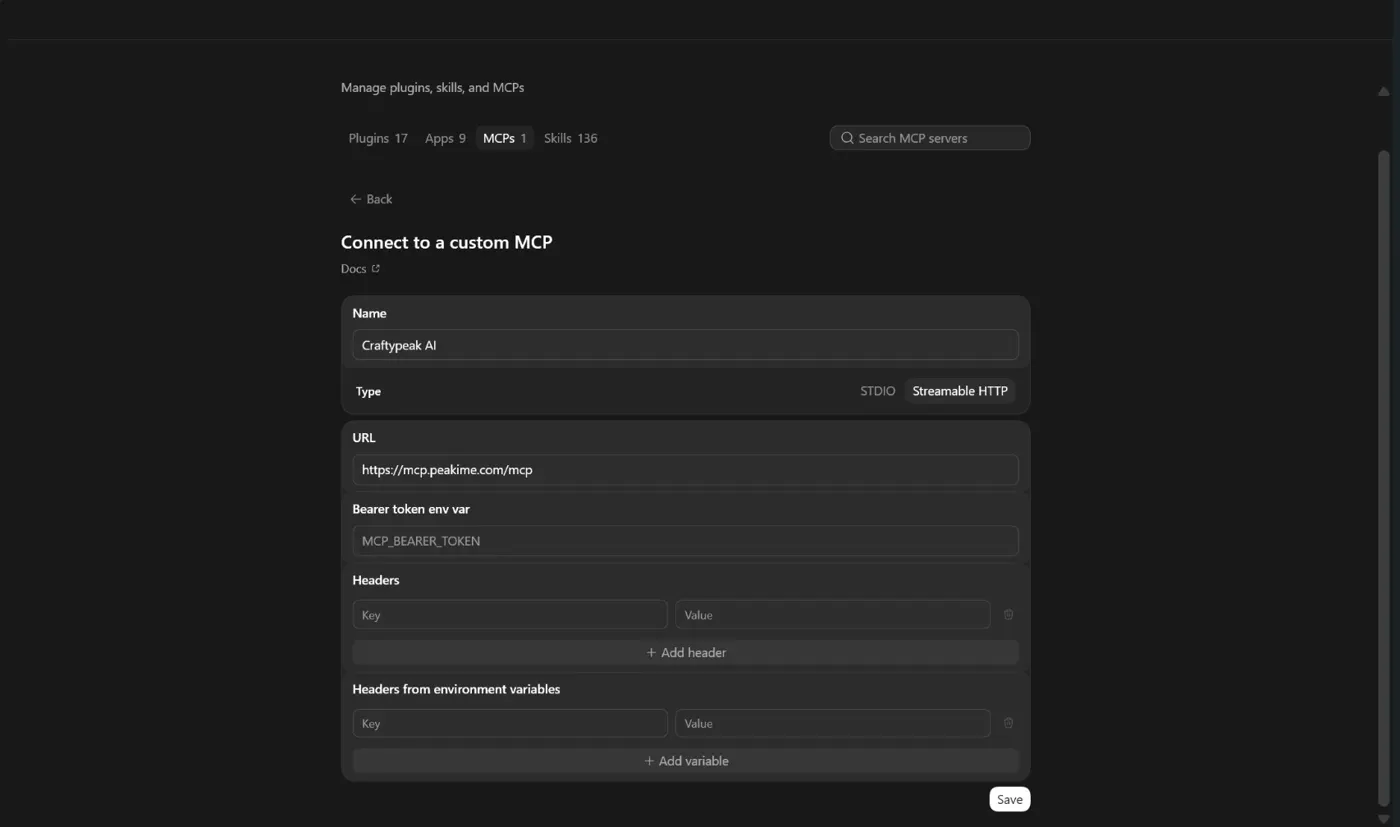
Step 7
Authorize
Click Authenticate. A CraftyPeak page opens. Sign in, then click Accept so ChatGPT can use CraftyPeak AI.
CraftyPeak AI × ChatGPTSign in on craftypeak.peakime.com, then click Accept
Or authorize from your terminal
codex mcp login craftypeak_aiStep 8
Just ask
Start a new chat and ask in plain words. ChatGPT picks the right CraftyPeak tool, shows the cost and makes it.
- Show my CraftyPeak credit balance.
- Which video models can I use on CraftyPeak, and what do they cost?
- Make a 5 second vertical video of a sunrise over the mountains with Seedance.
- Check on my last generation and give me the link when it is ready.
Using Claude instead?
Add CraftyPeak AI as a custom connector in Claude. This works on the free plan too.
Step 1
Open Claude
Open the Claude desktop app or claude.ai on your computer and sign in.
CraftyPeak AI × ClaudeClaude desktop app or claude.ai
Step 2
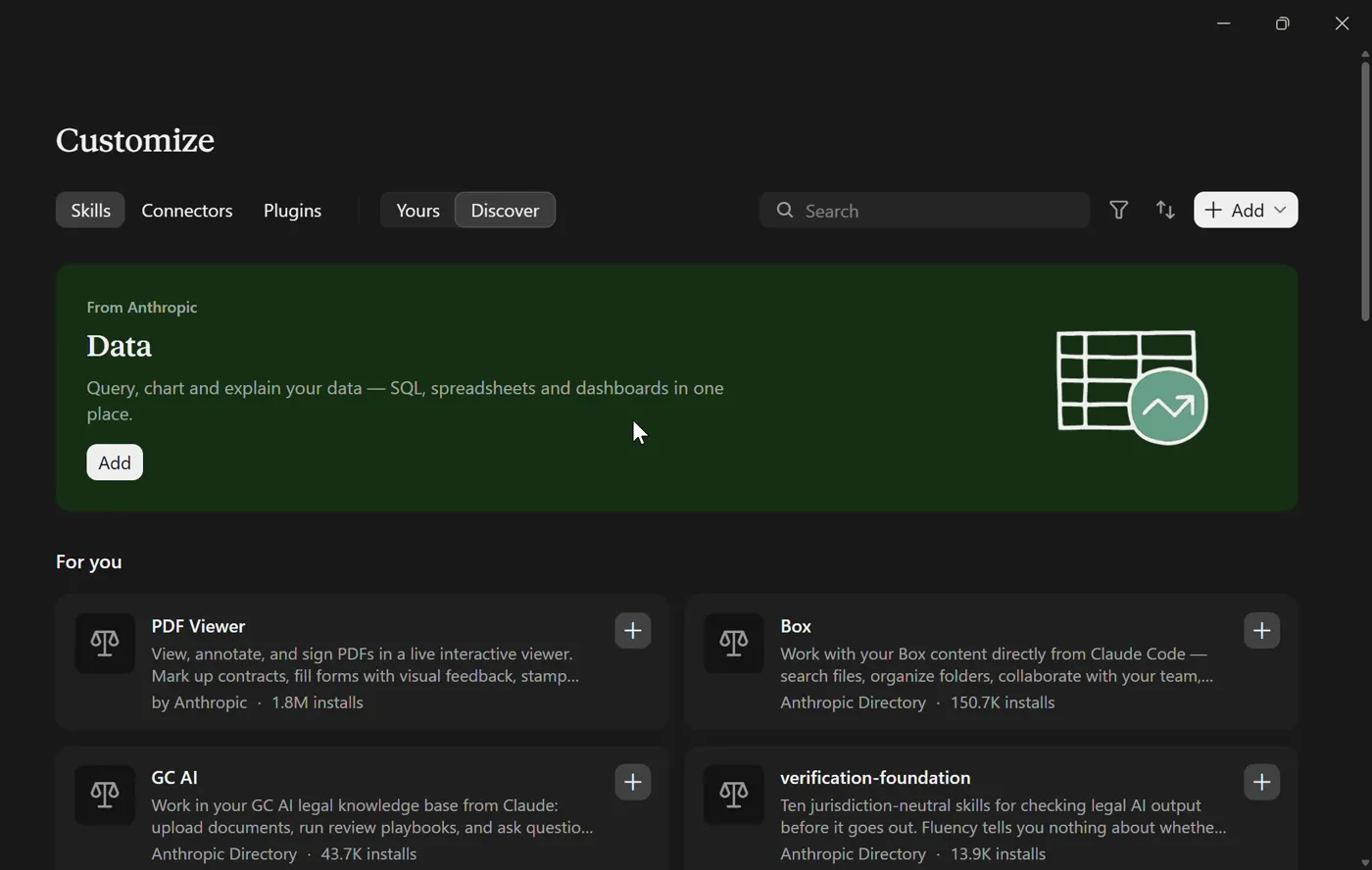
Open Connectors
Click Customize in the left menu, then Connectors.
Step 3
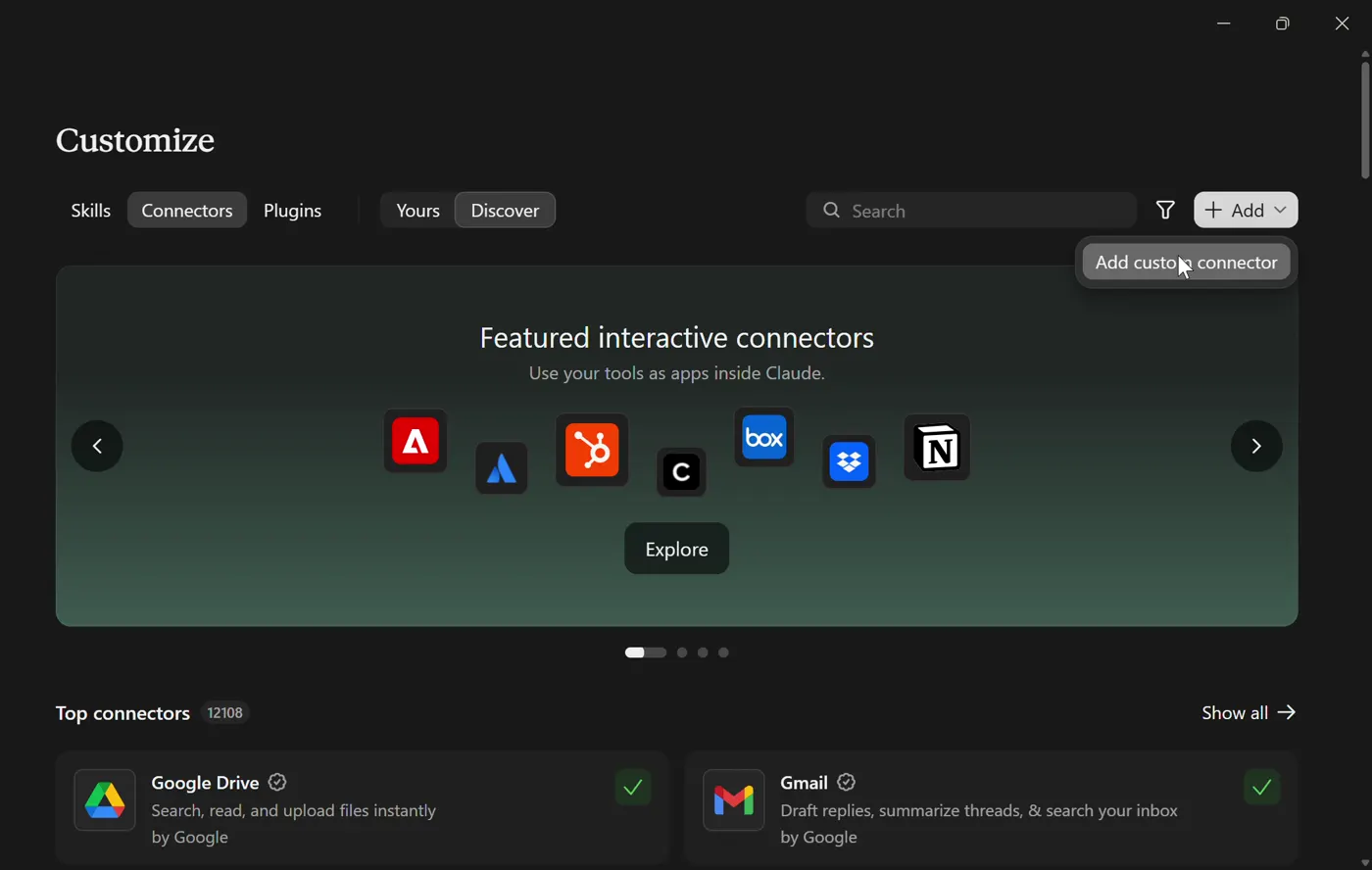
Add a custom connector
Click Add at the top right and choose Add custom connector.
Step 4
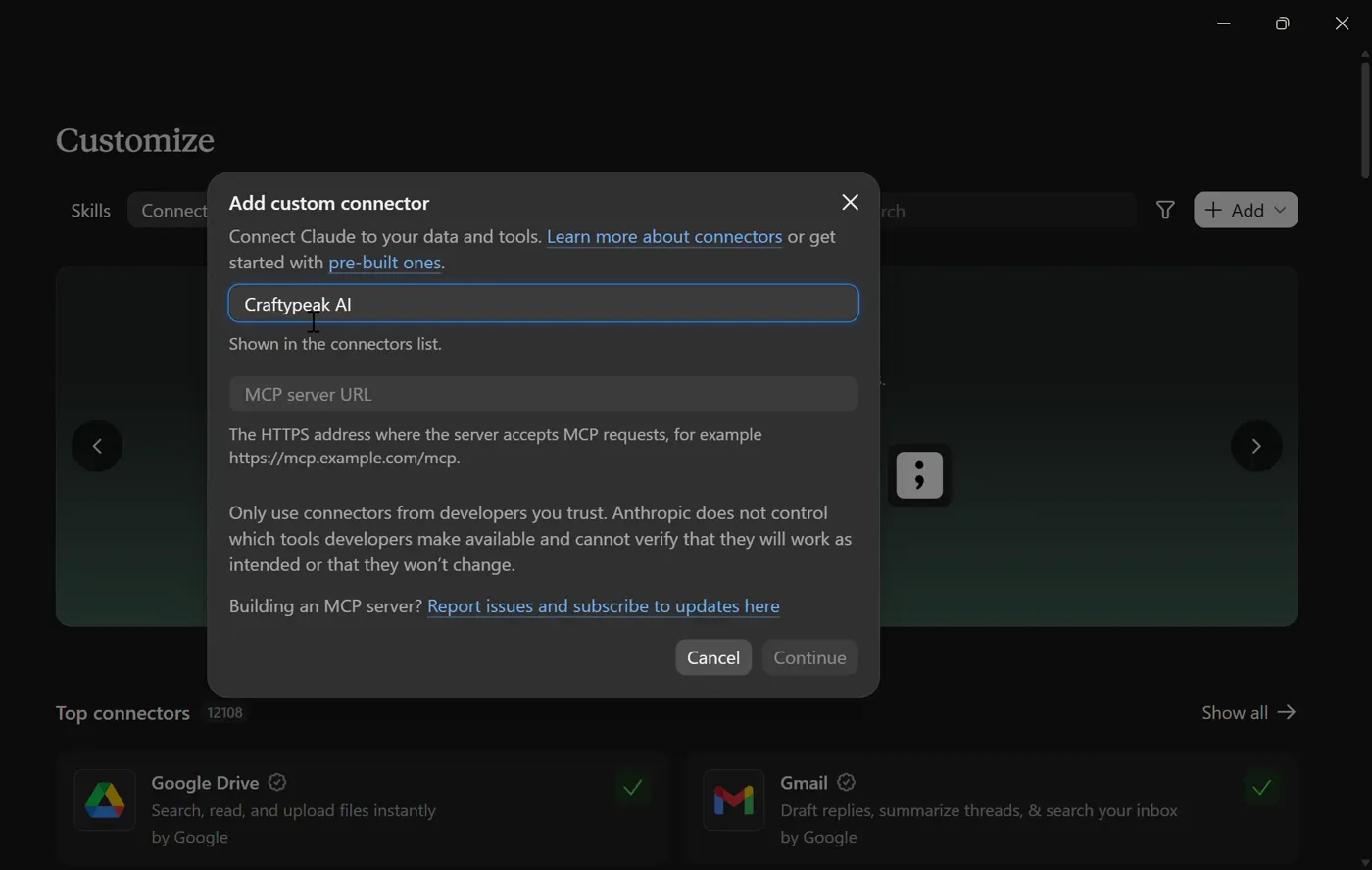
Name it
Type CraftyPeak AI as the name.
Step 5
Paste the URL
Paste this URL as the remote MCP server URL and click Continue.
https://mcp.peakime.com/mcp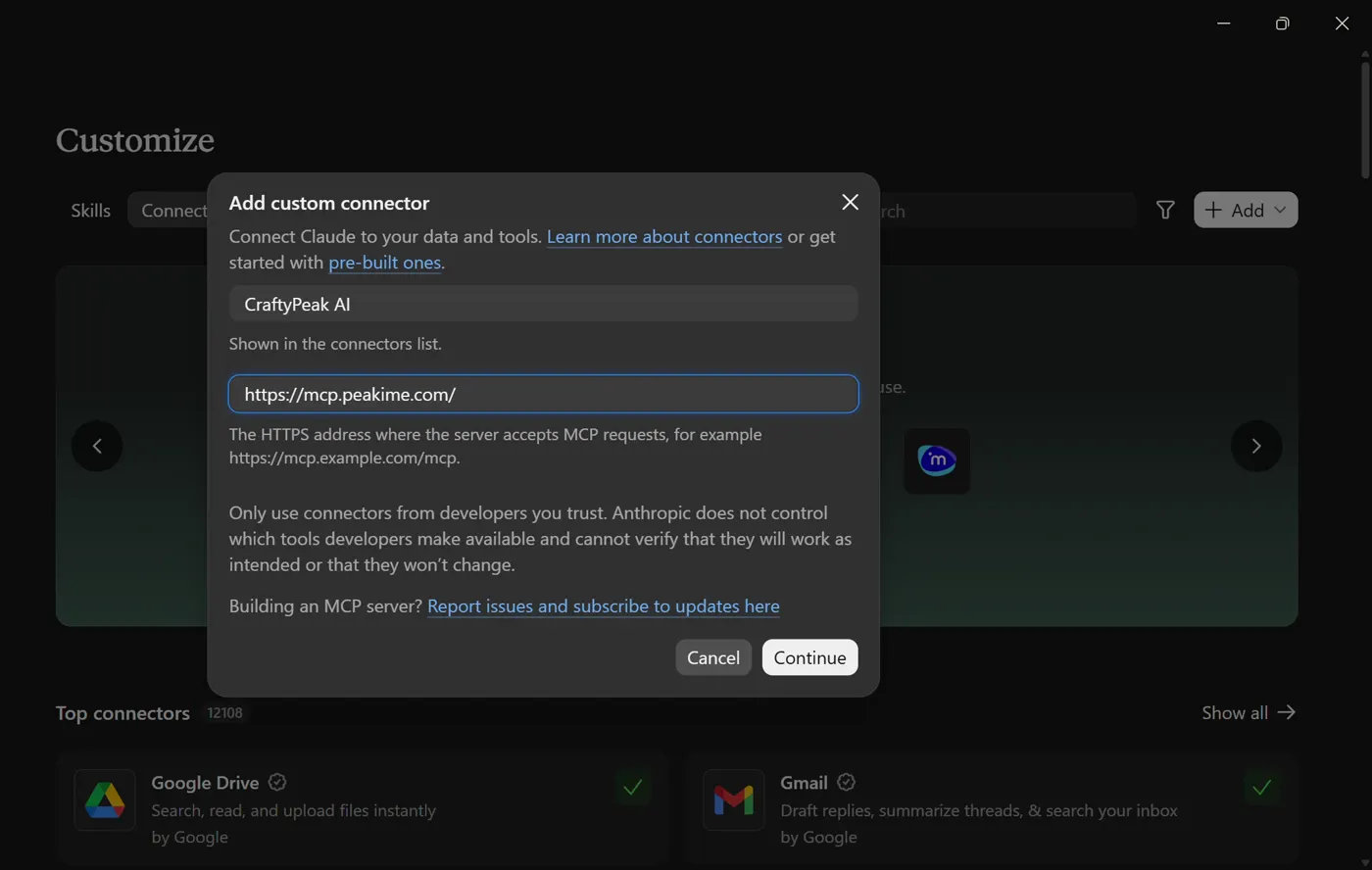
Step 6
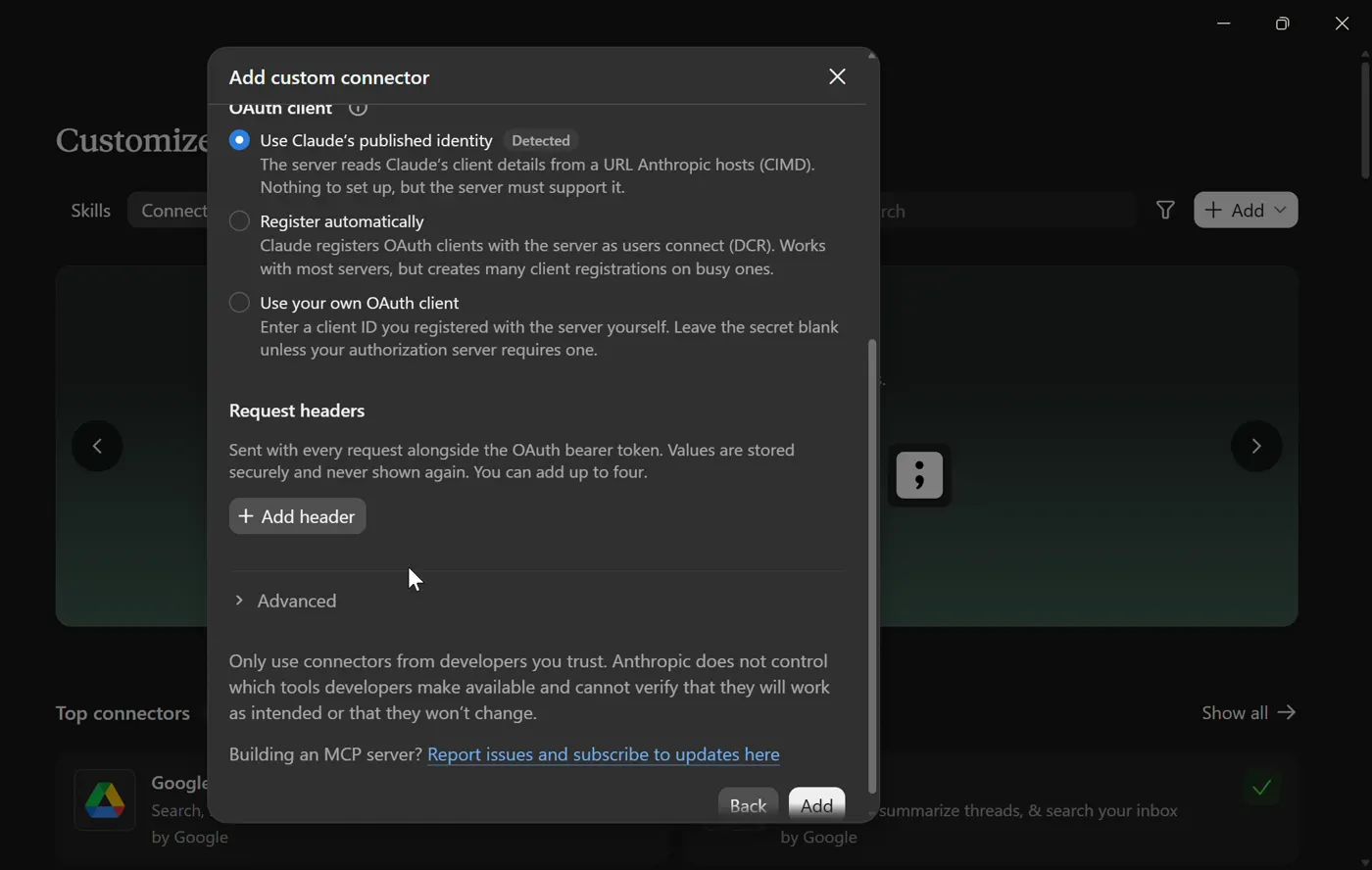
Click Add
Keep "Use Claude's published identity" selected. No headers are needed. Click Add.
Step 7
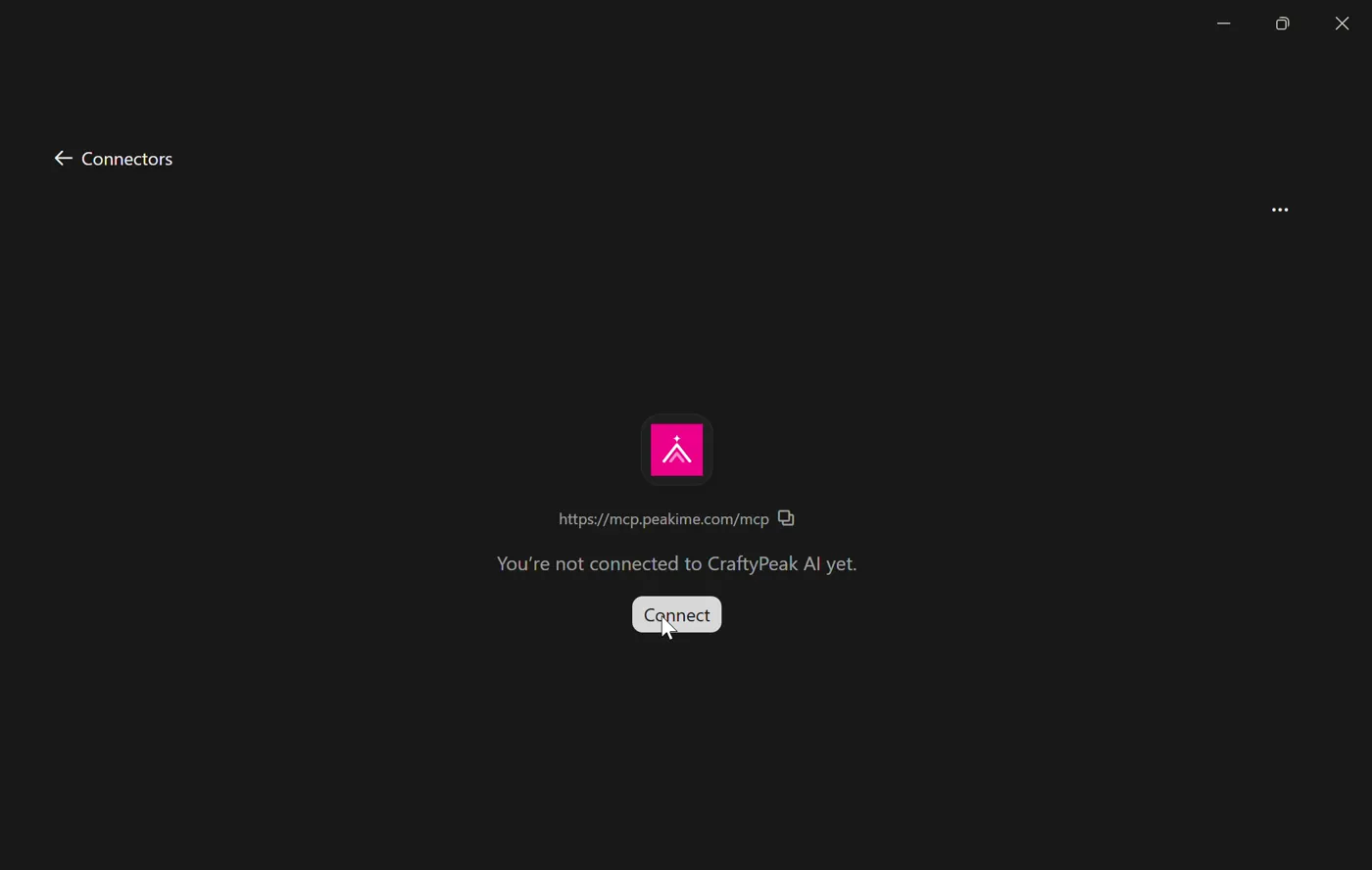
Authorize
Click Connect. A CraftyPeak page opens. Sign in, then click Accept so Claude can use CraftyPeak AI.
Step 8
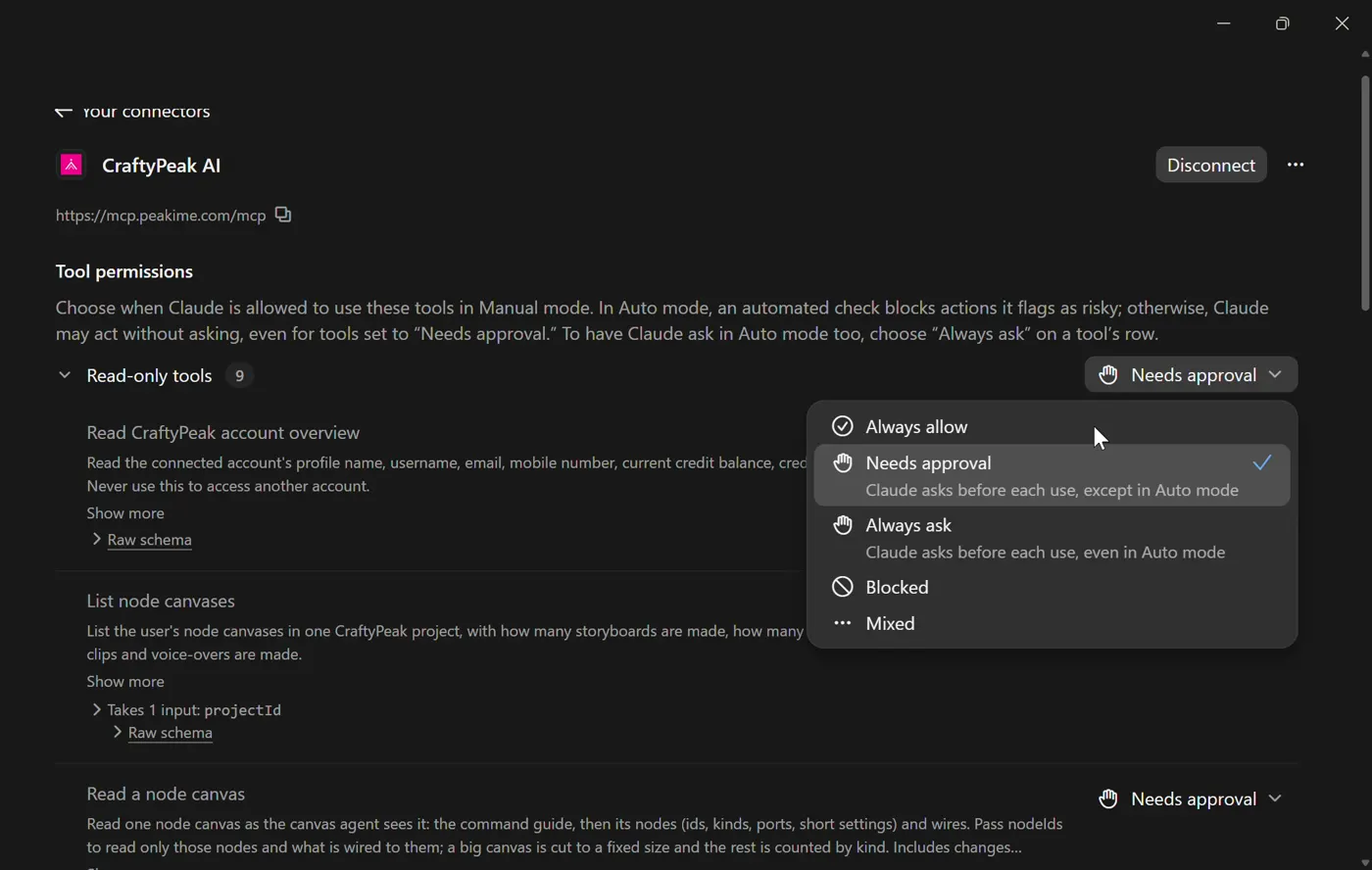
Choose tool permissions
Claude shows "Connected to CraftyPeak AI". Pick Always allow or Needs approval for each group of tools.
Step 9
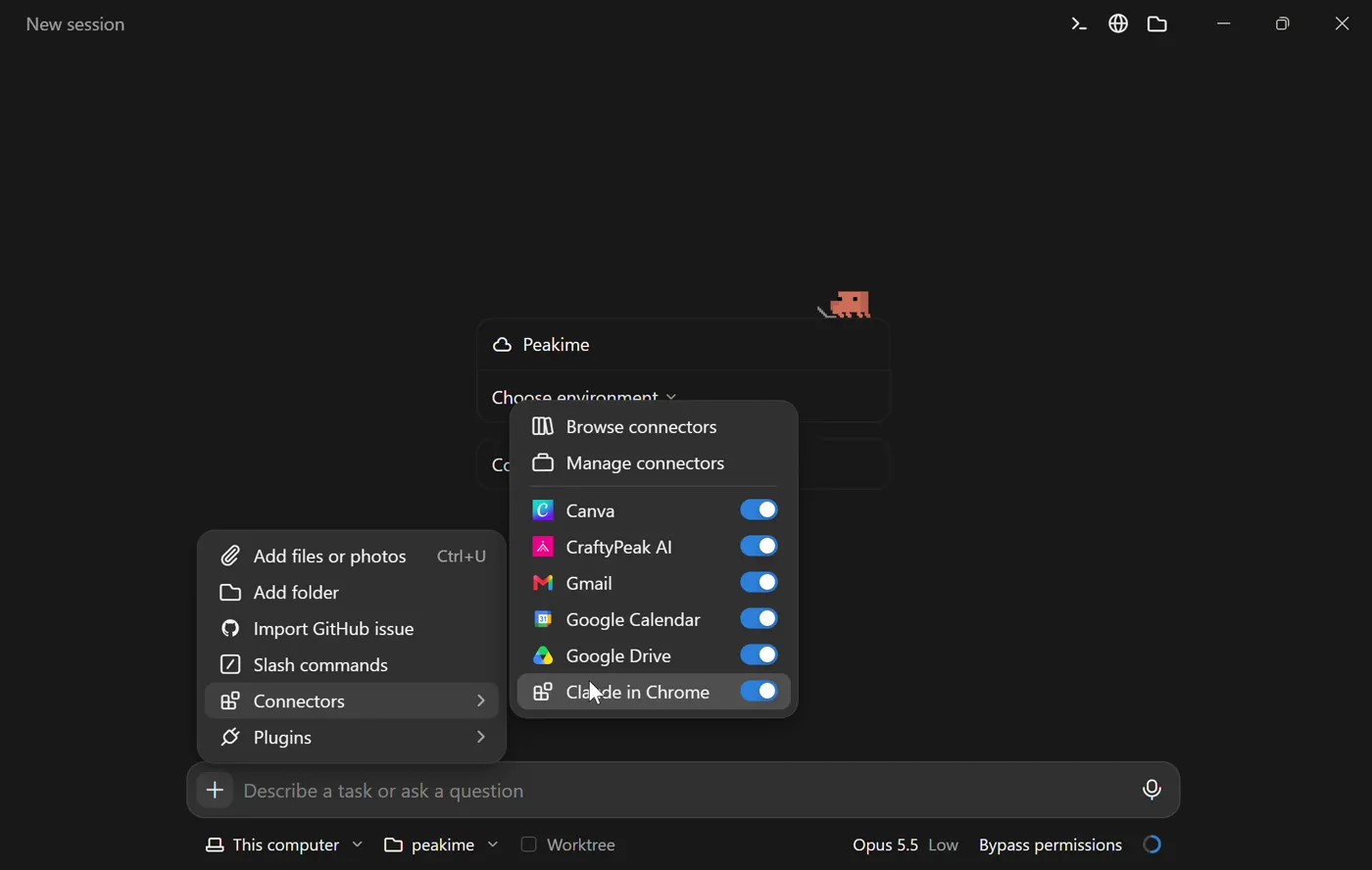
Turn it on in a chat
In a new chat, click +, open Connectors and switch CraftyPeak AI on.
Step 10
Just ask
Ask in plain words. Claude picks the right CraftyPeak tool, shows the cost and makes it.
- Show my CraftyPeak credit balance.
- Which video models can I use on CraftyPeak, and what do they cost?
- Make a 5 second vertical video of a sunrise over the mountains with Seedance.
- Check on my last generation and give me the link when it is ready.
Using ChatGPT instead?
Claude Code and Codex CLI
Add it with one command, then authorize once.
Claude Code
1. Add
claude mcp add --transport http craftypeak-ai https://mcp.peakime.com/mcp2. Authorize
/mcpType /mcp in Claude Code, choose craftypeak-ai and pick Authenticate. Sign in to CraftyPeak in the browser and click Accept.
Codex CLI
1. Add
codex mcp add craftypeak_ai --url https://mcp.peakime.com/mcp2. Authorize
codex mcp login craftypeak_aiA browser opens. Sign in to CraftyPeak and click Accept.
What your assistant can do
Account
Your profile and credit balance.
Models and prices
Every image and video model you can use, with its options and cost.
Generate
Images and videos, after you confirm the cost.
Status
Progress of a running generation and the finished result.
Canvas and films
Read, edit and approve canvas storyboards and film parts.
Questions
Do I need an API key?
No. You sign in with your Peakime account in the browser. Leave the bearer token and header fields empty.
What does it cost?
Connecting is free. Generations use your normal CraftyPeak credits, the same price as in the studio, and your assistant shows the cost before anything is made.
Where do my images and videos go?
Into your PeakShelf library on CraftyPeak, the same as anything you make in the studio.
How do I disconnect?
Remove the CraftyPeak AI server or connector in your assistant settings. That ends its access.